
Fill-in-the-blank worksheets are customizable educational tools that require learners to supply missing words within a structured text, making them one of the most direct methods for assessing vocabulary, comprehension, and recall. Platforms like Microsoft Learning Activities, Blackboard, and H5P have made it faster than ever to make fill-in-the-blank worksheets that go beyond simple memorization. When designed with clear objectives and the right tools, these activities give educators and parents a reliable way to measure understanding and close knowledge gaps at any grade level.
What tools are best for making fill-in-the-blank worksheets?
The right tool depends on your delivery format, your learners' needs, and how much customization you require. Three platforms stand out for educators and parents in 2026.
| Tool | Format Support | Customization | Cost | Best For |
|---|---|---|---|---|
| Microsoft Learning Activities | Word, PDF, PowerPoint, text | Blank editing, distractors | Free (Microsoft 365) | Classroom and remote learning |
| Blackboard (Anthology) | Online quiz builder | Pattern matching, partial credit | Paid (institutional) | Higher ed and formal assessment |
| H5P | Browser-based | Feedback, regex, accessibility | Free (open source) | Interactive web-based activities |
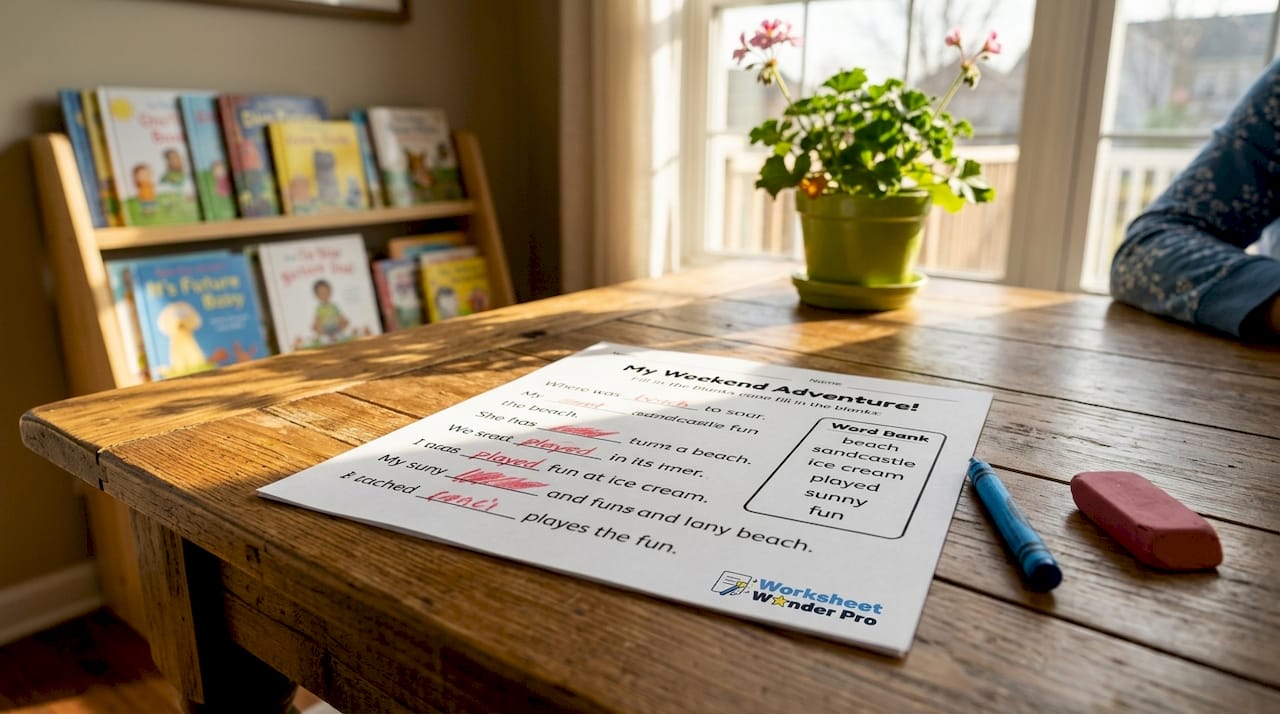
Microsoft Learning Activities generates interactive drag-and-drop fill-in-the-blank exercises from uploaded content. It accepts Word, PDF, PowerPoint, and plain text files ranging from 240 to 50,000 characters. That range covers a single paragraph or a full chapter, which makes it practical for both quick reviews and longer assessments.
Blackboard and H5P both support pattern-based answer matching, which reduces grading errors caused by capitalization differences or minor spelling variations. For parents creating printable fill-in-the-blank exercises at home, free tools like Google Docs or Canva work well for static paper formats. For interactive digital delivery, Microsoft Learning Activities or H5P are the stronger choices.
Pro Tip: If you need printable and digital versions of the same worksheet, build the content in Microsoft Word first, then upload it to Microsoft Learning Activities for the interactive version.
How to create fill-in-the-blank worksheets step by step
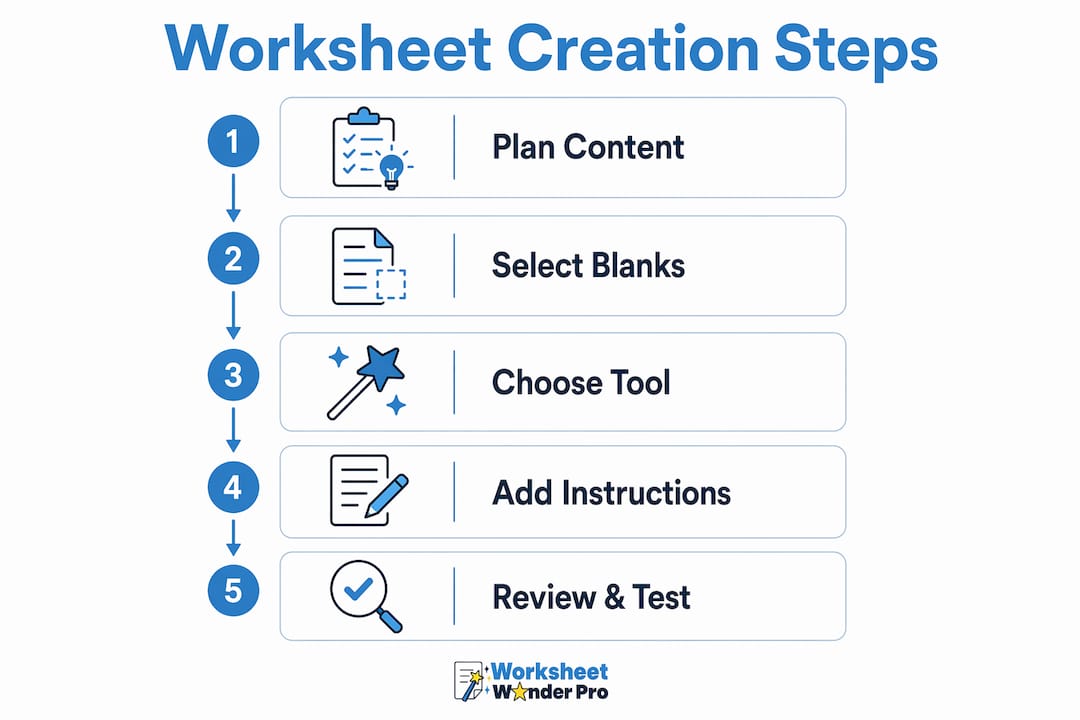
Creating a well-structured worksheet takes fewer steps than most educators expect. The process below applies whether you are using an AI-powered tool or building manually.
- Select your source text. Choose a passage, paragraph, or set of sentences that directly reflects your learning objective. The text should be meaningful in context, not a random sentence collection.
- Upload or paste your content. In Microsoft Learning Activities, paste or upload your text. The AI generates blanks automatically based on the selected difficulty level.
- Edit which words become blanks. After generation, review the auto-selected blanks. Remove blanks from words that are not central to your objective. Add blanks to words that are. This step controls what knowledge you are actually testing.
- Add or remove distractor words. Distractors are extra words shown in a word bank that learners must sort through. Adding distractors shifts the activity toward recognition. Removing them shifts it toward pure recall.
- Set answer matching rules. In Blackboard or H5P, configure response types. Use "Contain match" or "Match a Pattern" to accept answer variations like different capitalization or common abbreviations.
- Add feedback for each blank. Write a short explanation for correct and incorrect responses. This turns the worksheet into a learning tool, not just a scoring device.
- Preview and test. Complete the worksheet yourself before distributing it. Check that every blank has a clear, unambiguous answer and that distractors are plausible but not misleading.
Pro Tip: Difficulty adjustment is not simply adding more blanks. Choosing which specific words become blanks and controlling distractors determines whether you are testing recognition or recall, which are two very different cognitive tasks.
How do you design engaging fill-in-the-blank activities?
Effective design separates a worksheet that teaches from one that just fills time. These principles apply to both digital and printable formats.
Align every blank with a learning objective. Each removed word should represent a concept you want the learner to demonstrate. If a blank could be answered by anyone with no prior knowledge, it does not belong. H5P's framework encourages higher-order thinking by prompting designers to ask whether a question requires application or analysis rather than simple recall.
Limit blanks per sentence. Removing more than two words from a single sentence creates ambiguity. The learner cannot determine context from what remains. Overloading blanks in one sentence increases cognitive load without increasing learning value.
Write clear instructions. State whether learners should use a word bank, write freely, or choose from a dropdown. Ambiguous instructions cause errors that reflect confusion, not misunderstanding of the content.
Pair worksheets with immediate feedback. Feedback tied to each blank helps learners understand why an answer is correct or incorrect. This moves the activity from assessment to instruction. H5P and Microsoft Learning Activities both support per-blank feedback natively.
Vary difficulty across the worksheet. Start with easier blanks to build confidence, then increase complexity. This structure works well for vocabulary worksheets, science concept reviews, and grammar practice across all grade levels. For more ideas on worksheet format variety, Worksheetwonderpro covers the full range of classroom worksheet types.
Common challenges when creating fill-in-the-blank worksheets
Most problems with fill-in-the-blank worksheets fall into three categories: grading inaccuracies, unclear instructions, and misaligned difficulty.
Grading inaccuracies are the most common issue in digital formats. A student who types "photosynthesis" should not lose points because the answer key stores "Photosynthesis." Pattern matching and regex in Blackboard handle capitalization, spacing, and abbreviation variations automatically. Setting these rules before distribution prevents score disputes after the fact.
Unclear instructions cause learners to guess the format rather than the answer. Specify whether the word bank is provided, whether spelling counts, and whether partial credit applies. These details belong in the worksheet header, not in a separate verbal explanation.
Imbalanced difficulty happens when all blanks target the same cognitive level. A worksheet that only tests recall of dates or names does not measure understanding. Mix factual blanks with blanks that require learners to supply a cause, effect, or conclusion. For a deeper look at avoiding design mistakes, Worksheetwonderpro's design guide covers the most common errors teachers make.
Fair grading in fill-in-the-blank activities requires response-type controls that allow flexibility in accepted answers, preventing penalties for minor formatting errors that do not reflect actual misunderstanding.
After distributing a worksheet, review which blanks had the highest error rates. High error rates on a single blank often signal a poorly worded question, not a knowledge gap. Revise those blanks before the next use.
Key takeaways
Effective fill-in-the-blank worksheets require intentional blank selection, the right digital tool, and feedback mechanisms that turn each answer into a learning moment.
| Point | Details |
|---|---|
| Choose the right tool | Microsoft Learning Activities, H5P, and Blackboard each serve different delivery formats and grading needs. |
| Edit blanks after generation | AI tools auto-select blanks, but manual review aligns them with your actual learning objectives. |
| Control distractors deliberately | Adding distractors tests recognition; removing them tests recall. Choose based on your goal. |
| Limit blanks per sentence | No more than two blanks per sentence prevents cognitive overload and answer ambiguity. |
| Use pattern matching for grading | Configure "Contain match" or regex rules to accept valid answer variations and reduce false negatives. |
Why intentional design matters more than the tool you pick
I have reviewed hundreds of fill-in-the-blank worksheets created by teachers at every level, and the most common mistake is not a technical one. It is treating blank placement as automatic. Teachers upload a passage, accept every AI-generated blank, and distribute the result without asking whether each blank actually tests what they intended to teach.
The tools are good. Microsoft Learning Activities generates a usable worksheet in under two minutes. But the AI selects blanks based on word frequency and position, not on your pedagogical goals. A blank on the word "the" is technically possible. A blank on "mitochondria" in a cell biology unit is purposeful.
The second pattern I see consistently is skipping feedback. A worksheet without per-blank explanations is a quiz. A worksheet with feedback is a teaching tool. H5P makes this easy, and the learning impact of immediate, specific feedback on fill-in-the-blank tasks is well documented. The extra five minutes spent writing feedback for each blank pays off in fewer repeated errors from students.
Start with your objective. Pick the blank. Then pick the tool.
— Pamela
Create your own worksheets with Worksheetwonderpro
Worksheetwonderpro gives teachers, homeschool families, and ministry leaders a fast way to build professional, customizable worksheets without starting from scratch.
The worksheet creation tools at Worksheetwonderpro support fill-in-the-blank formats alongside other activity types, with templates organized by subject and skill level. Free resources are available through the free templates library, covering a range of formats ready to adapt for any classroom or home learning session. For educators who need more advanced customization and printable options, the pro features expand what is possible without requiring design experience. Building a worksheet that actually teaches takes the right structure. Worksheetwonderpro provides it.
FAQ
What is a fill-in-the-blank worksheet?
A fill-in-the-blank worksheet is an educational document where specific words are removed from a text and learners must supply the missing terms. It is used to assess vocabulary, comprehension, and content recall across all subject areas.
What is the easiest free tool to make fill-in-the-blank worksheets?
Microsoft Learning Activities is free with a Microsoft 365 account and generates interactive fill-in-the-blank exercises from uploaded text, Word, PDF, or PowerPoint files in minutes.
How many blanks should a fill-in-the-blank worksheet have per sentence?
No more than two blanks per sentence. More than two removes enough context that learners cannot determine the correct answer, which tests confusion rather than knowledge.
How do I make automated grading fair for fill-in-the-blank answers?
Use pattern matching or "Contain match" settings in tools like Blackboard to accept capitalization variations, abbreviations, and minor spelling differences without marking correct answers wrong.
Can fill-in-the-blank worksheets support higher-order thinking?
Yes. Blanks that require learners to supply a cause, effect, or conclusion rather than a memorized fact push the activity beyond recall into application and analysis, which are higher cognitive levels.