
Generating worksheet modifications for IEP students means adapting format, language, and response type so each student accesses grade-level content aligned with their individual education plan. This process is distinct from creating accommodations. Accommodations change how a student learns; modifications change what is learned and require legal authorization within the IEP. AI platforms like Diffit, MagicSchool, and EduGenius now make it possible to produce compliant, differentiated materials in a fraction of the time previously required. This guide covers the tools, steps, and safeguards you need to do it correctly.
How to generate worksheet modifications for IEP students
Before you open any AI tool, you need two things in hand: the original grade-level worksheet and the student's current IEP documentation. Without both, you risk creating materials that either miss the legal requirements or drift from the curriculum standard.
Here is what to gather before you start:
- IEP provisions: Identify whether the student's plan calls for accommodations, modifications, or both. This distinction matters legally and instructionally.
- AI platforms: Diffit adapts reading passages in 3 to 5 minutes. MagicSchool generates scaffolded question sets. EduGenius supports assessment modification workflows with built-in compliance checks.
- Base worksheet: Always start from the standard, on-level version. Modifications branch from that document, not from a separate creation.
- Tracking templates: Editable data sheets with trial options (5 or 10 trials) and prompt keys keep progress monitoring consistent across the team.
- Case manager input: Vague IEP language like "modified assessments as needed" must be clarified before you generate anything. Confirm the scope and degree of change with the case manager first.
Pro Tip: Keep a shared folder organized by student initials, not names, containing the base worksheet, the modified version, and the IEP provision that authorized the change. This protects compliance and saves time during audits.
Understanding the different types of classroom worksheets also helps you choose the right format for each modification tier before you begin.

Step-by-step process for creating modified worksheets
AI-assisted workflows reduce modification creation time from 60 to 90 minutes down to 10 to 15 minutes. That efficiency gain is only reliable when you follow a consistent process. Here is the sequence that works:
- Build the standard worksheet first. Write or finalize the on-level version before touching any modification. Every adapted version must trace back to this document.
- Simplify reading passages using AI. Paste the text into Diffit or MagicSchool and select the target reading level. Review the output for accuracy before accepting it.
- Add response scaffolds. Sentence starters, graphic organizers, and word banks reduce language barriers without reducing cognitive demand. A student still analyzes a cause-and-effect relationship; they just have structural support to express it.
- Change response formats where needed. Accessible response formats such as circling answers, matching columns, or selecting images allow students with fine motor or writing challenges to demonstrate content knowledge accurately.
- Run a modification check. Before printing, verify that the modified version aligns with the specific IEP provision, maintains the same content standard, and uses an answer key consistent with the original.
- Match the visual layout. Use identical headers, fonts, and section structure across all worksheet tiers. Consistent visual design prevents students from identifying an "easy" version and feeling singled out in inclusion classrooms.
- Cross-check and file. Document which IEP goal each modification supports and store it with the base version.
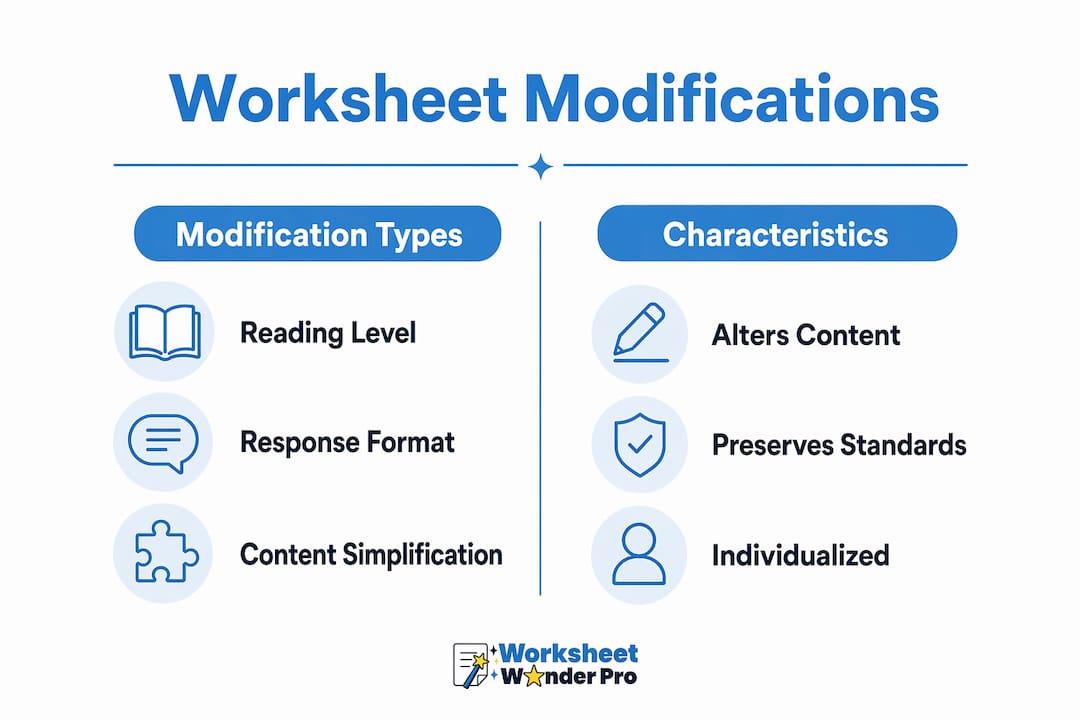
| Modification type | What changes | What stays the same |
|---|---|---|
| Reading level reduction | Vocabulary and sentence length | Core concept and standard |
| Response format change | How the student answers | What knowledge is being assessed |
| Scaffold addition | Structural support provided | Cognitive demand of the task |
| Visual layout adjustment | Complexity of layout | Headers, sections, and design |
Pro Tip: After running AI output through Diffit or MagicSchool, always read the modified passage aloud. AI tools occasionally introduce factual errors when simplifying complex science or social studies content.
How to track IEP progress with modified worksheets
Modified worksheets serve a dual purpose. They provide access to content, and they generate data on student progress toward IEP goals. Separating these two functions is a common mistake. Build data collection into the worksheet itself from the start.
Effective progress monitoring with modified worksheets includes:
- Trial-based data sheets: Templates with 5 or 10 trial options and editable prompt keys give you consistent, measurable records that hold up in IEP meetings.
- Direct goal linkage: Each worksheet task should map to a specific IEP objective. If the goal is "student will identify the main idea with 80% accuracy across 3 consecutive sessions," the worksheet task must reflect that exact skill.
- Regular review cycles: Data from modified worksheets should be reviewed every two to four weeks. If a student consistently scores above the mastery threshold, the modification may need to be faded or adjusted.
- Embedded tracking fields: Add a small data box at the top or bottom of the worksheet where the teacher or paraprofessional records the date, prompt level used, and score. This keeps data collection from becoming a separate administrative task.
You can find structured templates for tracking student progress that integrate directly with modified worksheet formats, reducing the documentation burden on your team.
Common mistakes when modifying worksheets for IEP students
Most errors in worksheet modification fall into a small set of predictable categories. Knowing them in advance prevents compliance problems and protects student dignity.
- Confusing accommodations with modifications: This is the most legally significant error. Providing a student with a text-to-speech tool is an accommodation. Reducing the number of required math problems is a modification. Only the latter requires explicit IEP authorization.
- Oversimplifying content: Removing all analytical questions to make a worksheet "easier" strips the academic rigor the modification is supposed to preserve. Simplify language and format. Do not simplify the thinking.
- Visible design differences: A worksheet printed on different paper or with a different header immediately signals to peers that a student has a different version. This causes social harm and reduces engagement.
- Skipping the modification check: Formal modification checks prevent unauthorized changes and confirm that grading remains consistent with IEP expectations.
- Ignoring vague IEP language: If the IEP says "modified as appropriate," that phrase has no legal specificity. Clarify it with the case manager before generating any materials.
Avoid worksheet design mistakes that reduce accessibility or create unintended stigma. Design consistency is not cosmetic. It is part of the modification's effectiveness.
Key takeaways
Effective worksheet modification for IEP students requires legal clarity, consistent design, AI-assisted efficiency, and embedded data collection to maintain both compliance and academic rigor.
| Point | Details |
|---|---|
| Accommodations vs. modifications | Modifications change content and require explicit IEP authorization; accommodations change delivery only. |
| AI tools save significant time | Platforms like Diffit reduce creation time from 90 minutes to under 15 minutes per worksheet. |
| Design consistency matters | Identical layouts across worksheet tiers protect student dignity and support inclusion. |
| Data collection is built in | Link each worksheet task to a specific IEP goal and record trial data directly on the sheet. |
| Modification checks prevent errors | Always verify alignment with IEP provisions, content standards, and answer keys before distributing. |
What I have learned after years of watching teachers modify worksheets
The biggest shift I have seen in special education practice is not the arrival of AI tools. It is the realization that most teachers were already doing the hard intellectual work of modification correctly. They just spent 80% of their time on formatting and reformatting documents by hand. AI platforms like EduGenius and Diffit did not change the thinking. They eliminated the clerical bottleneck.
What concerns me is the opposite risk: teachers who trust AI output without reviewing it. A simplified passage about the water cycle can come back with a factual error that no student, modified or not, should encounter. The tool handles speed. The teacher handles accuracy and judgment.
The other thing I would push back on is the assumption that modifications always need to be less. Some of the most effective IEP worksheet adaptations I have seen added material rather than removed it. A graphic organizer, a visual anchor, a worked example at the top of the page. These additions give students a scaffold without reducing what they are expected to learn. That distinction changes how students experience the work and how they perform on it.
Training matters here too. Teachers who understand the legal line between accommodations and modifications make better decisions at every step of the process. That knowledge is not optional. It is the foundation everything else rests on.
— Pamela
How Worksheetwonderpro supports IEP worksheet modification
Worksheetwonderpro gives teachers a direct path from IEP provision to finished, compliant worksheet. The platform supports modification creation with user-friendly templates that maintain consistent visual design across tiers, built-in data tracking fields, and AI-assisted formatting tools that reduce production time without sacrificing accuracy. Teachers can generate modified and standard versions from the same base document, keeping everything organized and audit-ready. For special education teams managing multiple students with different IEP goals, the time savings add up fast. Explore what Worksheetwonderpro offers for building and managing modified worksheets that meet IEP requirements.
FAQ
What is the difference between a modification and an accommodation?
An accommodation changes how a student learns or demonstrates knowledge, such as extended time or text-to-speech. A modification changes the content or performance expectation itself and requires legal IEP authorization.
How long does it take to generate a modified worksheet with AI?
AI-assisted tools reduce creation time from 60 to 90 minutes to approximately 10 to 15 minutes per worksheet. Diffit alone can adapt a reading passage in 3 to 5 minutes.
How do I make sure my modified worksheet still meets grade-level standards?
Run a modification check before distributing any worksheet. Verify that the content standard is unchanged, the answer key matches the original, and the IEP provision specifically authorizes the type of change you made.
Should modified worksheets look different from standard worksheets?
No. Maintaining identical headers, fonts, and layout across all worksheet versions prevents students from being identified as having a different version, which protects engagement and dignity in inclusion settings.
How do I connect modified worksheets to IEP goal tracking?
Map each worksheet task directly to a specific IEP objective and use trial-based data sheets with editable prompt keys to record performance. Review this data every two to four weeks to determine whether modifications need to be adjusted or faded.